1. Access the Robots, AI & Sitemap Indexing Menu
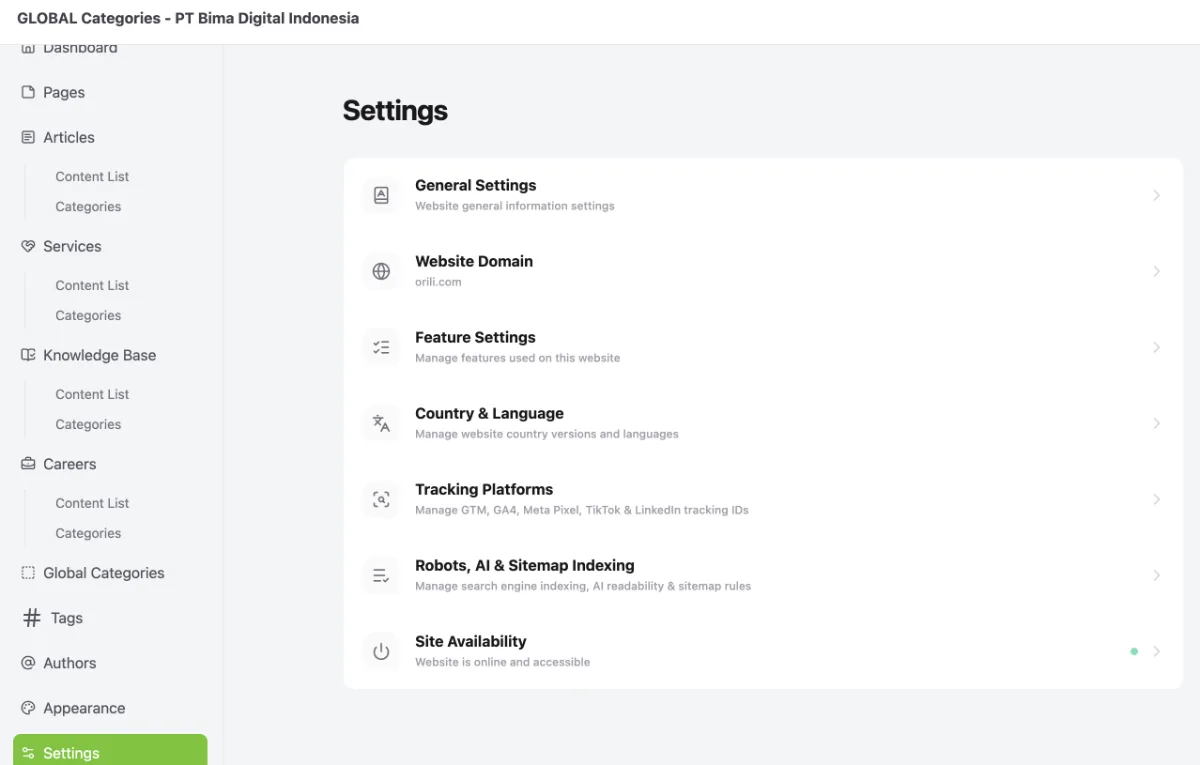
Access the Robots, AI & Sitemap Indexing menu by following these steps:
- Go to the Dashboard.
- Click the Operational Tools menu.
- Select Website.
- Select your website.
- Click Manage.
- Select Settings.
- Select Robots, AI & Sitemap Indexing.
2. Configure Website Visibility for Search Engines and AI
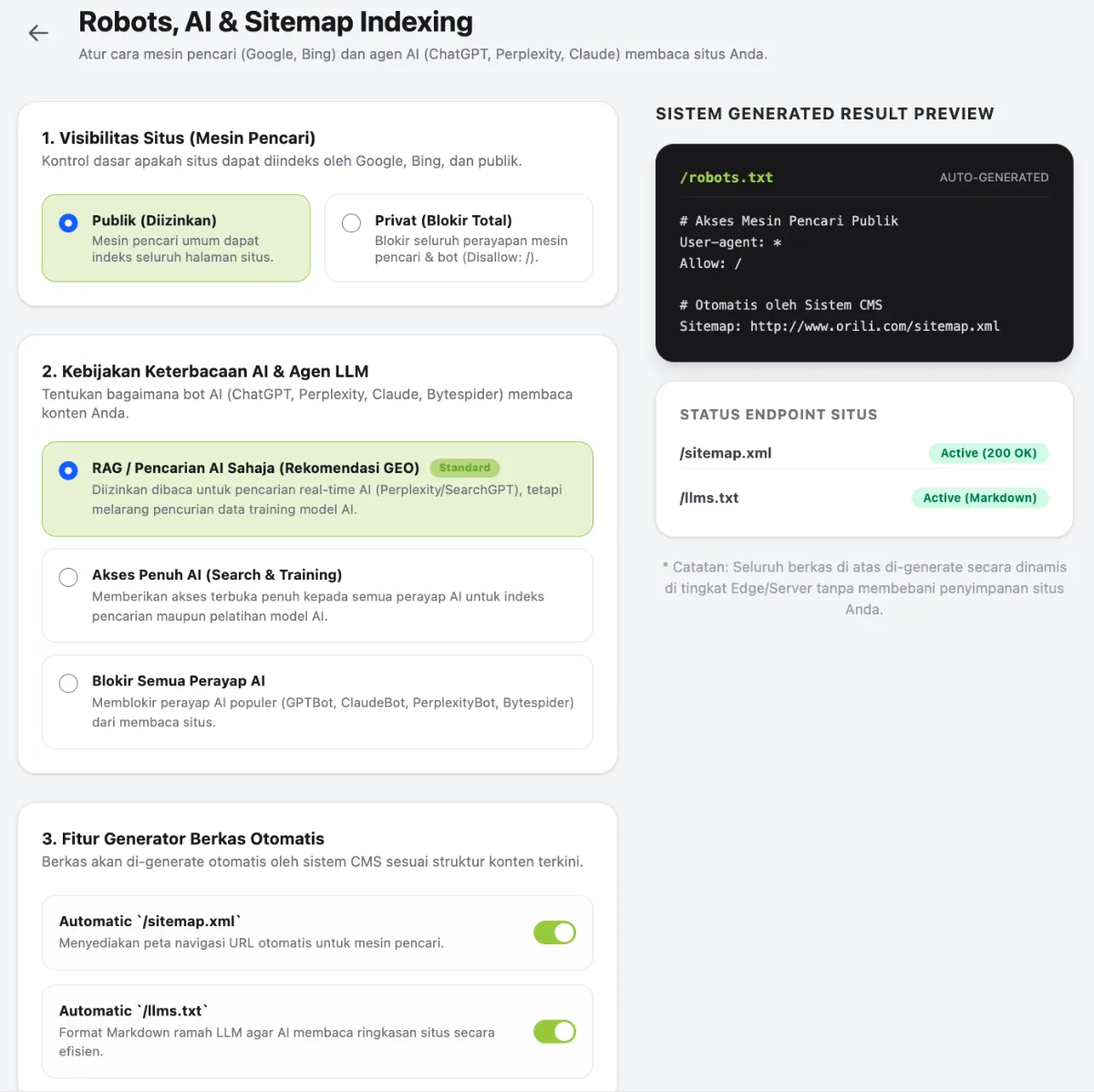
- Ensure that Site Visibility is set to Public (Allowed).
- Ensure that AI Readability Policy is set to RAG / AI Search Only.
- Ensure that Automatic /sitemap.xml and Automatic /llms.txt are enabled.
- Click Save Changes. The settings will be applied automatically by the system.