1. Access the Footer Menu
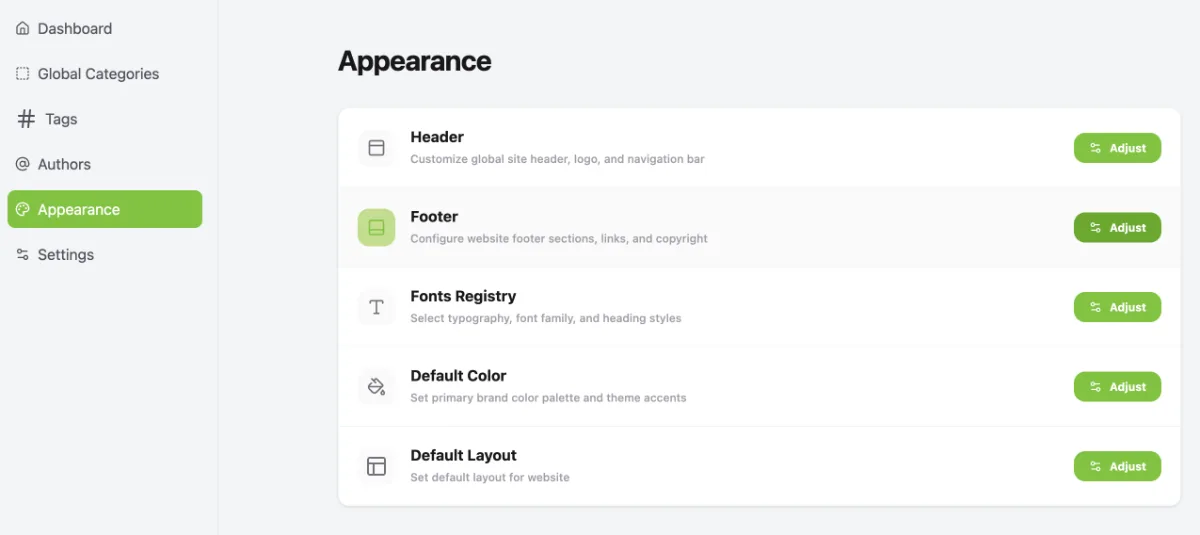
Access the Footer menu by following these steps:
- Go to the Dashboard.
- Click the Operational Tools menu.
- Select Website.
- Select your website.
- Click Manage.
- Select Appearance.
- Under the Footer menu, click Adjust.
2. Access Footer Settings
- Click the Adjust button.
- Under the Actions column, click the > icon.
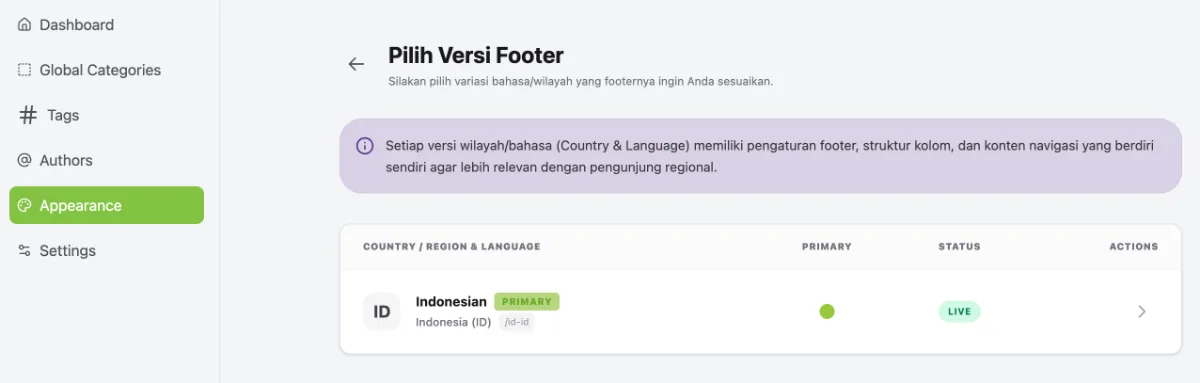
- Setelah itu akan diarahkan menuju halaman footer settings
3. Customise the Footer Appearance
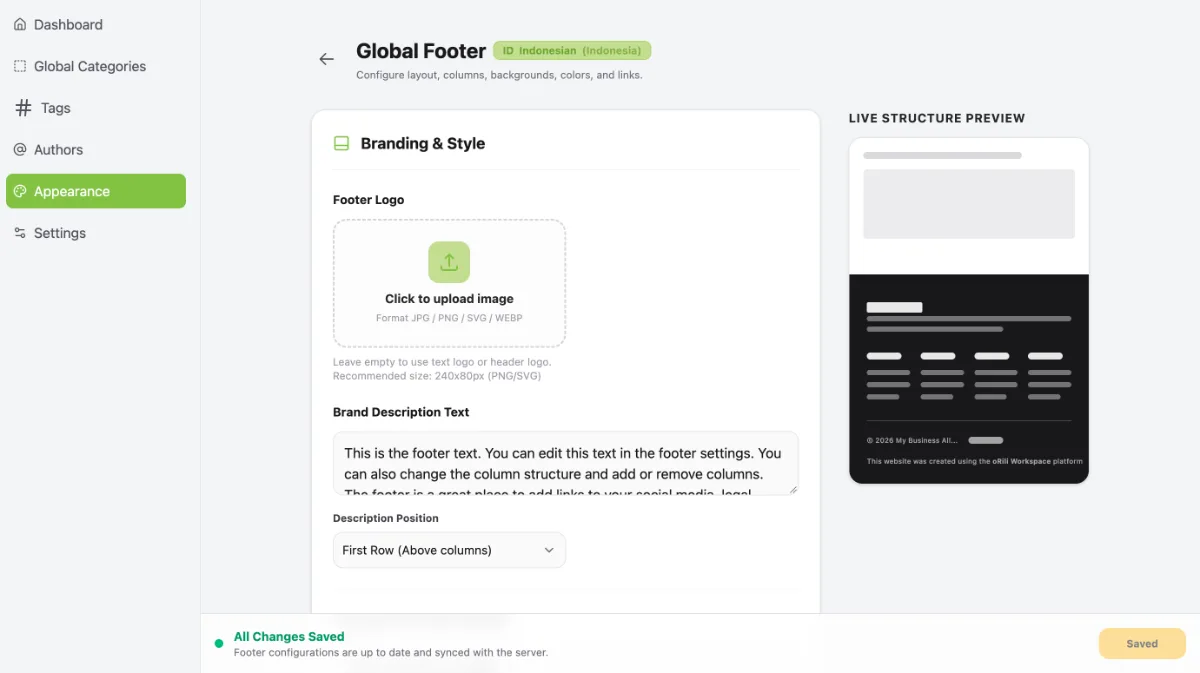
- Start customising the footer by uploading your footer logo and adding your brand description text.
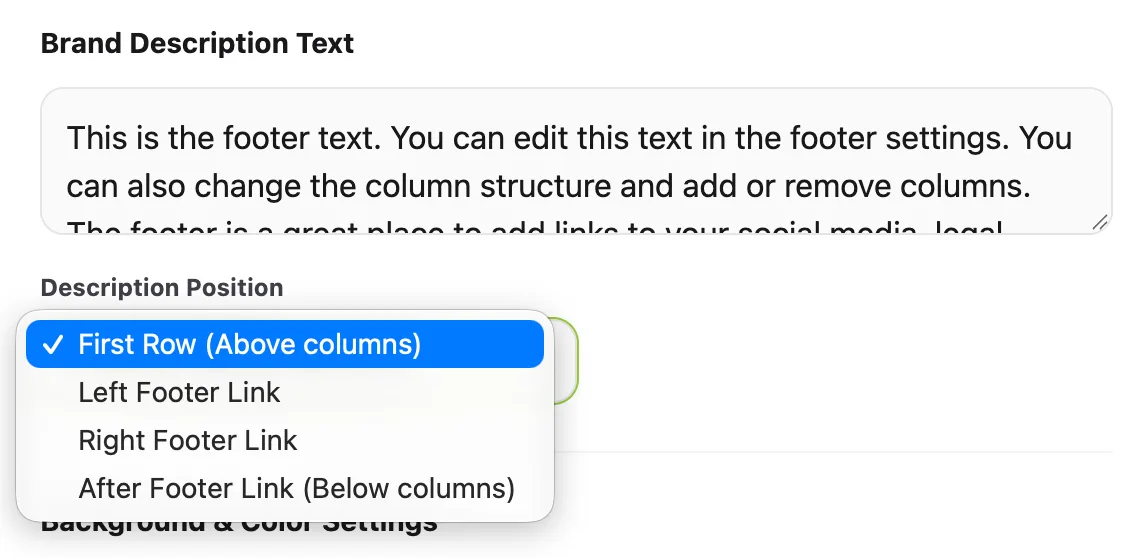
- Adjust the description text display to suit your needs.
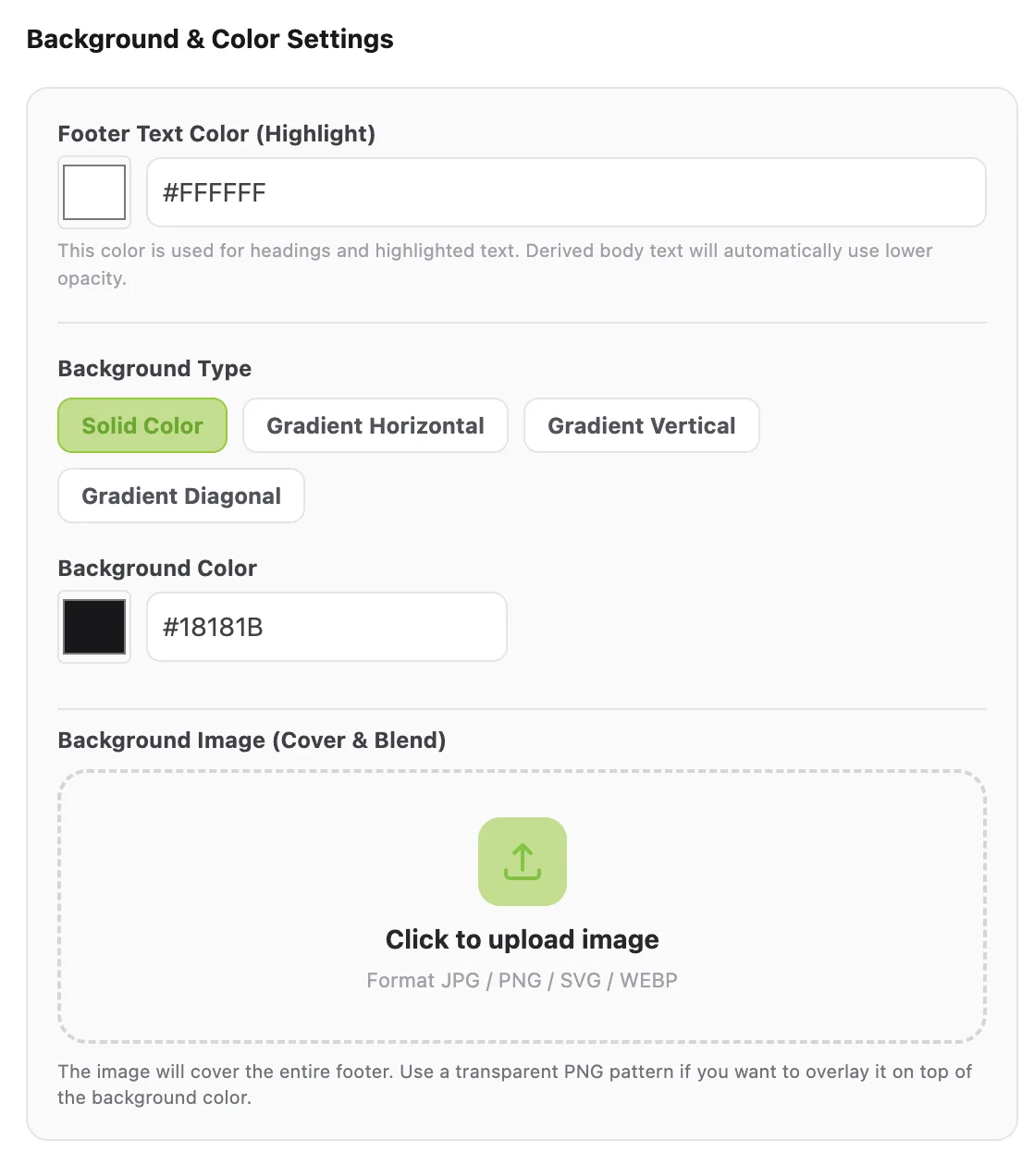
- Configure the Background & Colour Settings as required.
4. Configure Navigation Columns
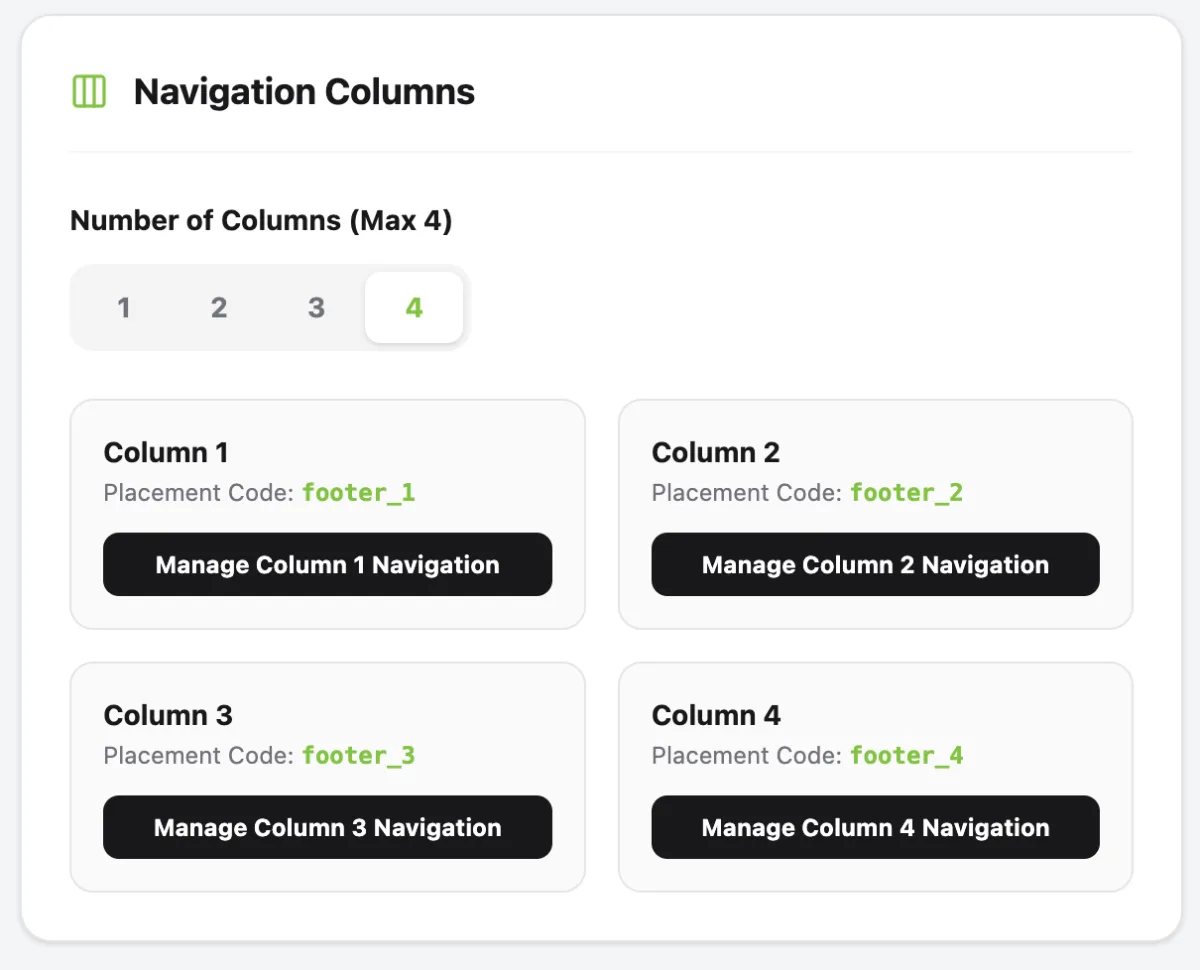
- Specify the number of columns required.
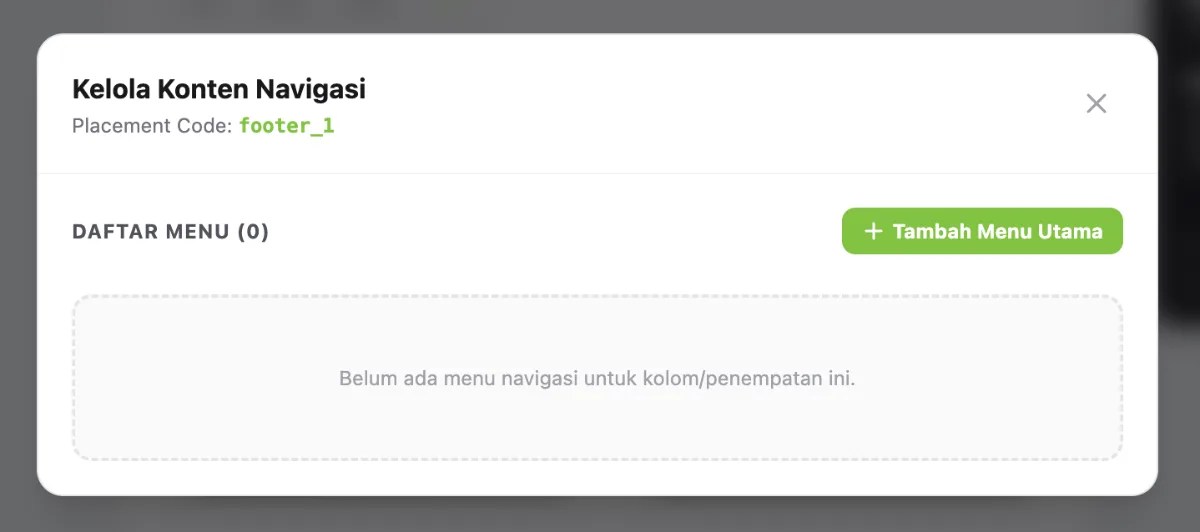
- Add the necessary menu items to each footer column.
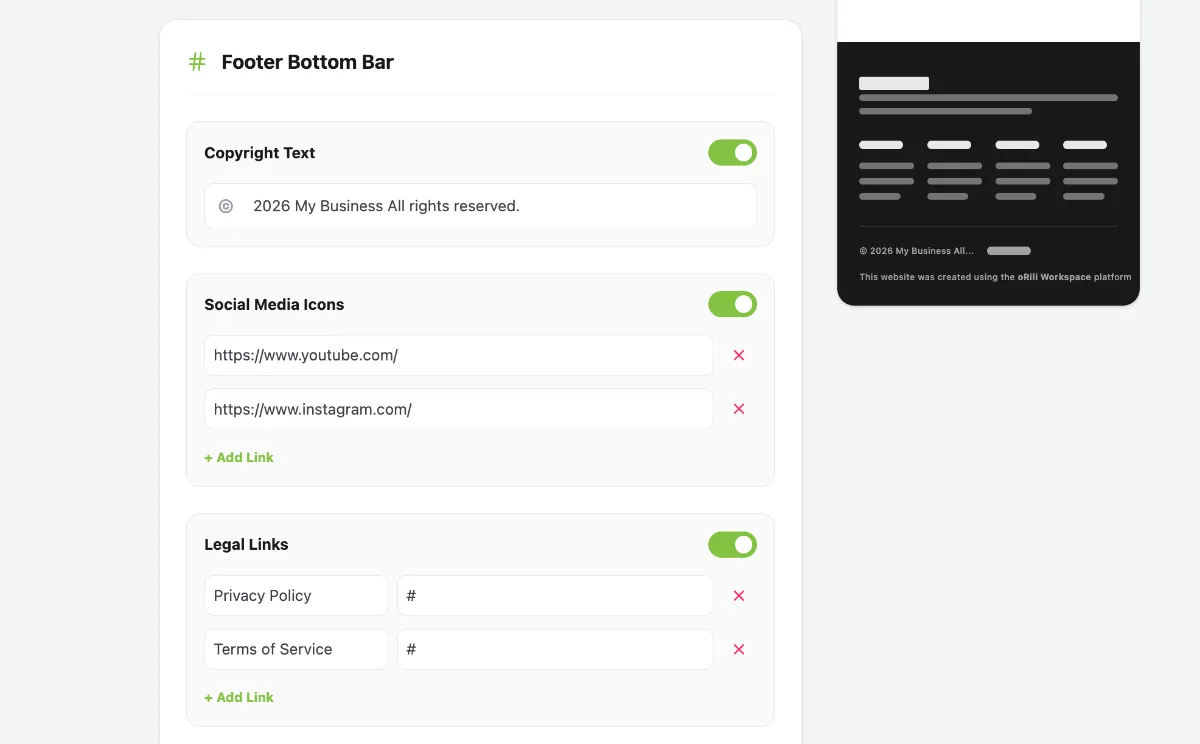
- Configure the Footer Bottom Bar as required.
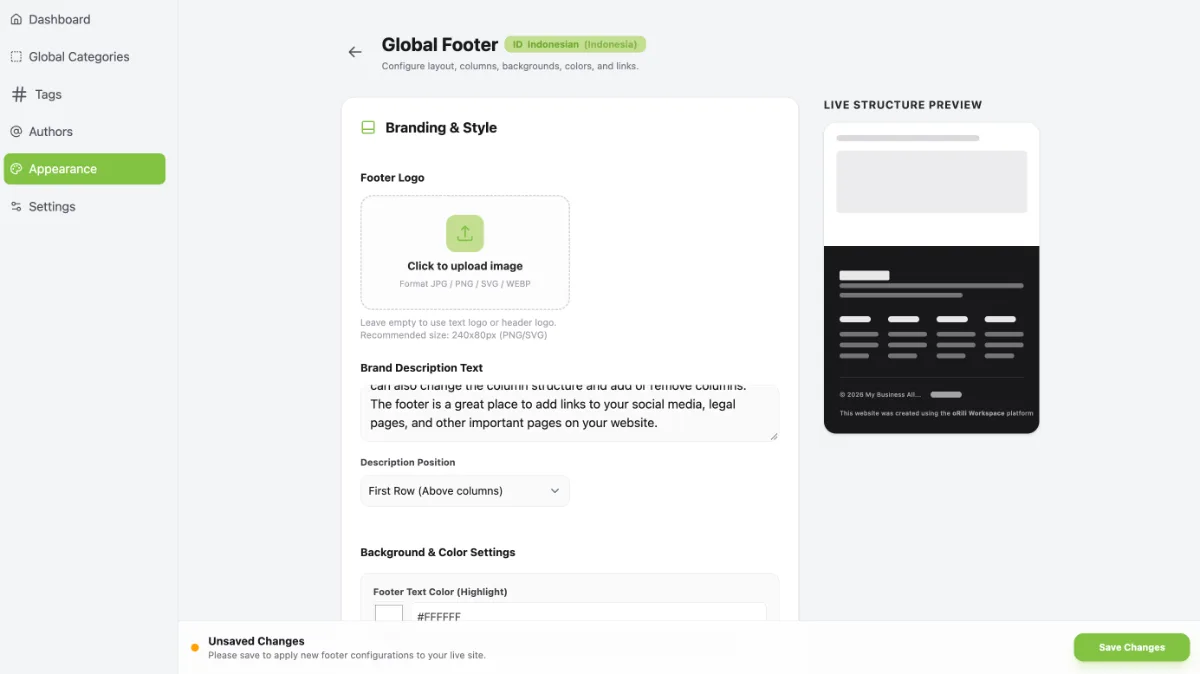
- Click Save Changes to apply and display your footer updates.